




How to Store Electronics in a Storage Unit Without Damage
Why Electronics Need Extra Protection in Storage
Most electronics are not designed to sit untouched for long periods in changing conditions. Inside each device are parts such as circuit boards, processors, power supplies, and connectors that can be affected by dust, temperature swings, and moisture.
Even the outside of a device can be damaged if it is not stored correctly. Screens can crack, plastic casing can warp, and ports can bend if boxes shift or heavy items are placed on top. Compared with furniture or sealed household bins, electronics need more insulation, more padding, and better organization.
This is especially important in areas like Visalia, where warm temperatures and dry, dusty conditions can create extra challenges. A little more preparation at the start can help prevent expensive repairs or permanent loss later.
Clean Every Device Before Packing
Before placing electronics into storage, it is important to clean them thoroughly. Dust and grime can scratch surfaces, settle into vents, and create problems when the device is used again later.
A dry microfiber cloth works well for wiping down screens, cases, and other smooth surfaces. Compressed air or a vacuum with a soft brush attachment can help remove dust from keyboards, speaker grilles, and hard-to-reach openings. It is best to avoid household cleaners that may leave behind moisture or chemical residue.
Vents and fans deserve extra attention. Dust buildup in those areas can restrict airflow and reduce performance when the device is turned back on. Small accessories such as remotes, controllers, routers, and external drives should be cleaned as well.
After cleaning, let the items sit in a cool, dry place for a while before packing them. That gives any remaining surface moisture time to disappear fully.
Protect Batteries and Back Up Important Files
Long-term storage can be hard on batteries. Some batteries lose charge over time, while others may corrode or fail if left unused for too long.
If a battery can be removed, take it out and store it separately in a labeled container in a cool, dry place. For electronics with built-in batteries, such as many tablets and laptops, it is better to power them down fully before storage and avoid leaving them completely drained for months.
Backing up data is also an important step. Even when electronics are packed carefully, there is always some risk involved with long-term storage. Saving your files, photos, business records, and documents ahead of time helps make sure an equipment issue does not also become a data-loss problem.
Use Strong Boxes and Enough Padding
The best packaging for electronics is often the original box. Manufacturers usually design those boxes with inserts and supports that help protect devices during transport and storage.
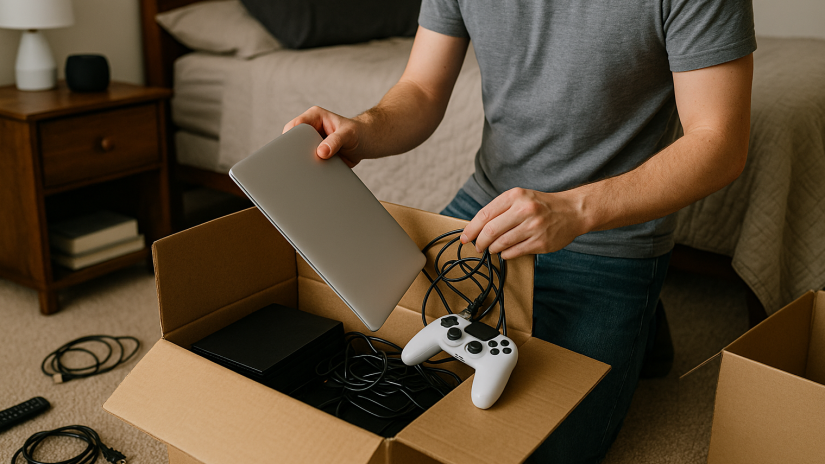
If the original packaging is no longer available, use a sturdy cardboard box or a durable bin with enough space to add cushioning on all sides. Soft materials such as anti-static wrap, microfiber towels, or other non-abrasive padding can help shield delicate surfaces and reduce movement inside the box.
Any empty space should be filled so items do not shift during transport. Screens, corners, buttons, and fragile attachments should receive extra protection. It is also wise to avoid wrapping electronics tightly in plastic, since trapped heat or moisture can create problems over time.
Flat screens should be stored upright instead of laid flat. That helps reduce the chance of pressure damage while the items are in storage.
Keep Cords and Accessories Organized
Small accessories are easy to lose, especially when multiple devices are being stored at once. Chargers, remotes, USB drives, adapters, and memory cards should all be separated, organized, and labeled before they go into a unit.
Cords can be bundled neatly with a Velcro strap or twist tie and then placed into labeled bags. It is helpful to write the name of the matching device on each bag so setup is easier later. Keeping accessories grouped with the right electronics saves time and reduces frustration when it is time to unpack.
This kind of organization also helps if you plan to resell equipment, reuse it for work, or rotate it back into your home or office over time.
Keep Electronics Off the Floor and Out of Heavy Stacks
Where you place electronics inside a storage unit matters just as much as how you pack them. Boxes should not be left directly on the floor. Elevating them on shelves, pallets, or other stable surfaces can help reduce exposure to dust and temperature transfer from concrete.
Heavier items should never be stacked on top of televisions, monitors, or other fragile devices. Lighter boxes should always go above heavier ones, and there should be enough space to access stored electronics without shifting large stacks around.
A light cotton cover can help reduce dust while still allowing airflow. Thick plastic coverings or heavy blankets are less ideal because they may trap moisture around the items. Good placement inside the unit can make storage safer and retrieval easier.
Keep an Inventory and Check In Periodically
A simple inventory list can make electronics storage much easier to manage. Recording what is in each box, along with any serial numbers or notes about condition, makes it easier to find items later and stay organized.
A phone photo, digital note, or spreadsheet can all work well for this. An inventory is especially helpful for office equipment, home office setups, or electronics that may need to be sold, replaced, or reinstalled later.
If you expect to store electronics for an extended period, checking on them occasionally is a smart move. Periodic inspections can help you spot dust buildup, shifting boxes, or early signs that something needs attention before bigger damage develops.
Why Self Storage Can Help Protect Extra Electronics
Electronics can take up less space than furniture, but they often create more stress because of their value and fragility. A well-organized storage unit gives you room to store extra devices, office equipment, seasonal tech, or backup electronics without overcrowding your home or workplace.
For people in Visalia and the surrounding area, Derrel’s Mini Storage offers a practical option for keeping electronics out of the way while still accessible when needed. This can be helpful during moves, remodels, business transitions, downsizing, or any period when space is limited.
The key is to combine the right storage space with the right packing habits. A clean unit helps, but careful preparation is what gives electronics the best chance of staying in good condition.
Store Electronics Carefully So They Are Ready Later
Electronics are easy to overlook when packing for storage because they are smaller than many other household or office items. In reality, they often need more protection than almost anything else you place in a unit.
Cleaning each item, backing up your data, organizing accessories, using proper padding, and keeping boxes elevated can all help reduce the risk of damage. Those steps do not take long, but they can make a major difference in how well your devices hold up over time.
If you are looking for extra room in Visalia, storing electronics the right way can help you protect your investment while keeping your home or business more organized. With a thoughtful approach and a reliable storage space, your devices can stay safer until you are ready to use them again.


